The top of your screen, finally useful.

Numa is a small black pill that lives at the top of Windows 10 and 11. Hover it for sales, stats and music, then get back to work.

One file. No installer, no admin rights.

Recorded on Windows 11, no edits

Everything you keep alt-tabbing for.

Sales, traffic and your day, in one place you never have to open.

Revenue, the second it lands.

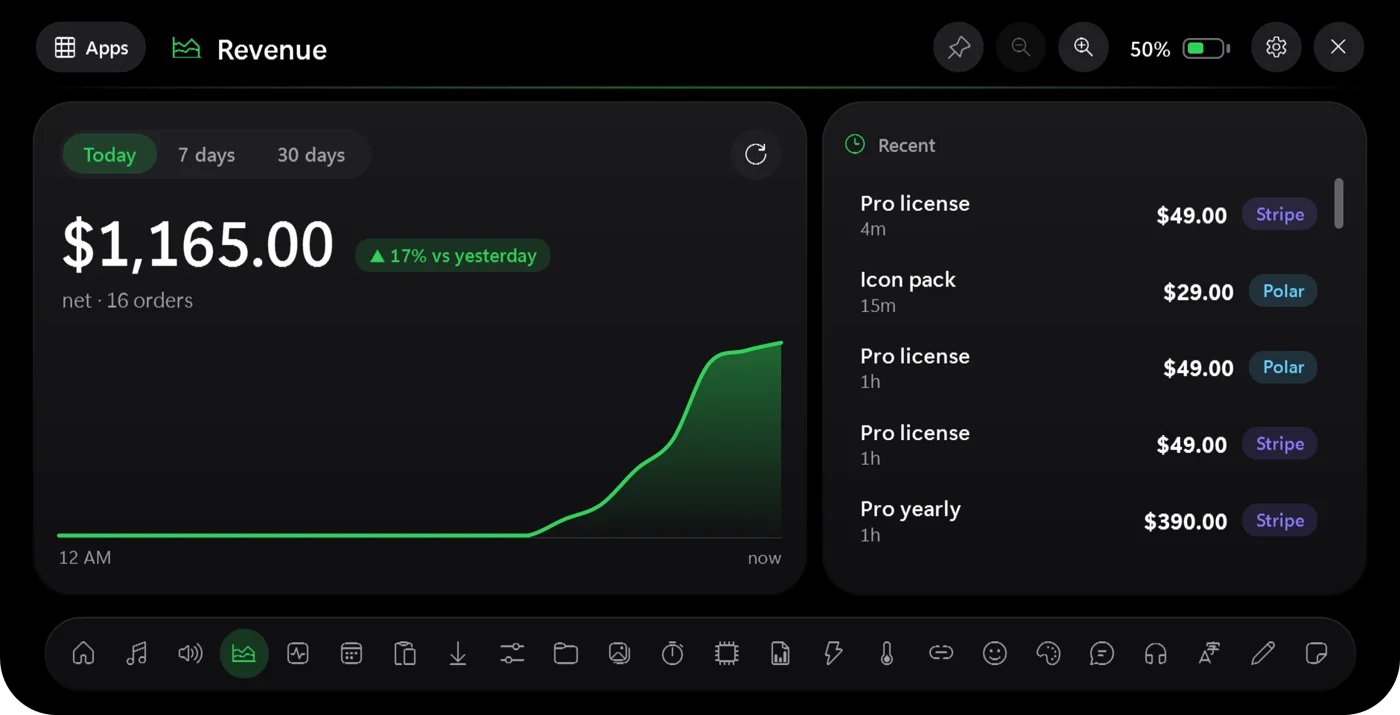
Connect Stripe or Polar with a read-only key. See today, 7 and 30 days with trends, the latest sales, and a per-provider breakdown. New sale? The pill swells to tell you.

  • Each currency gets its own total
  • Keys are encrypted on your PC
Numa's Revenue panel: $1,165 today, up 17% on yesterday, with a chart and recent Stripe and Polar sales.
Real screenshot, sample data

Alerts that queue politely.

A new sale, a finished timer, a song change, a Claude limit warning. The pill grows into a banner for five seconds, then springs back. They never overlap.

  • Pause alerts from the tray
  • Turn each kind on or off
Numa alert: Claude, 82% used. 5-hour limit almost reached, tap to view.
Real screenshot

Traffic without opening a tab.

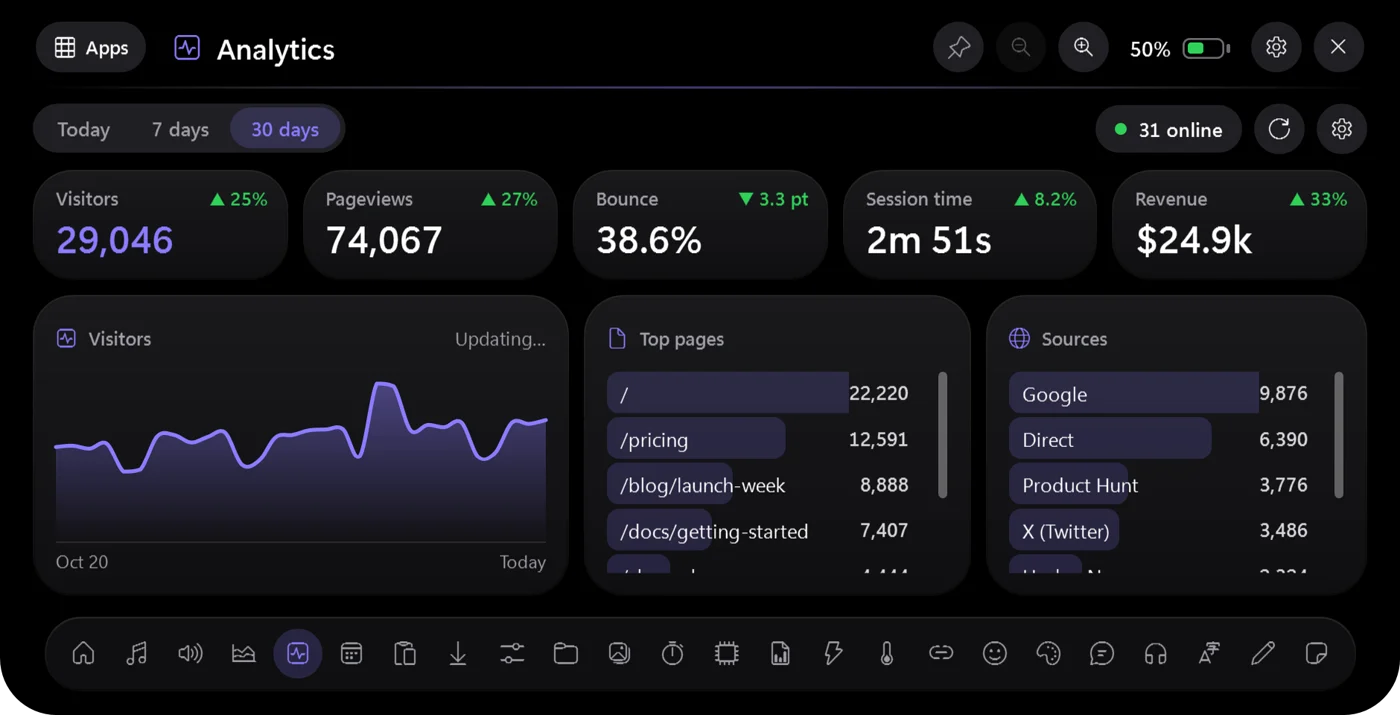
Visitors, pageviews, bounce rate, session time, top pages and sources from DataFast, each with the change against the previous period.

  • Today, 7 days or 30 days
  • See who is online right now
Numa's Analytics panel: 29,046 visitors, 74,067 pageviews, a visitors chart, top pages and sources.
Real screenshot, sample data

Claude Code, by the numbers.

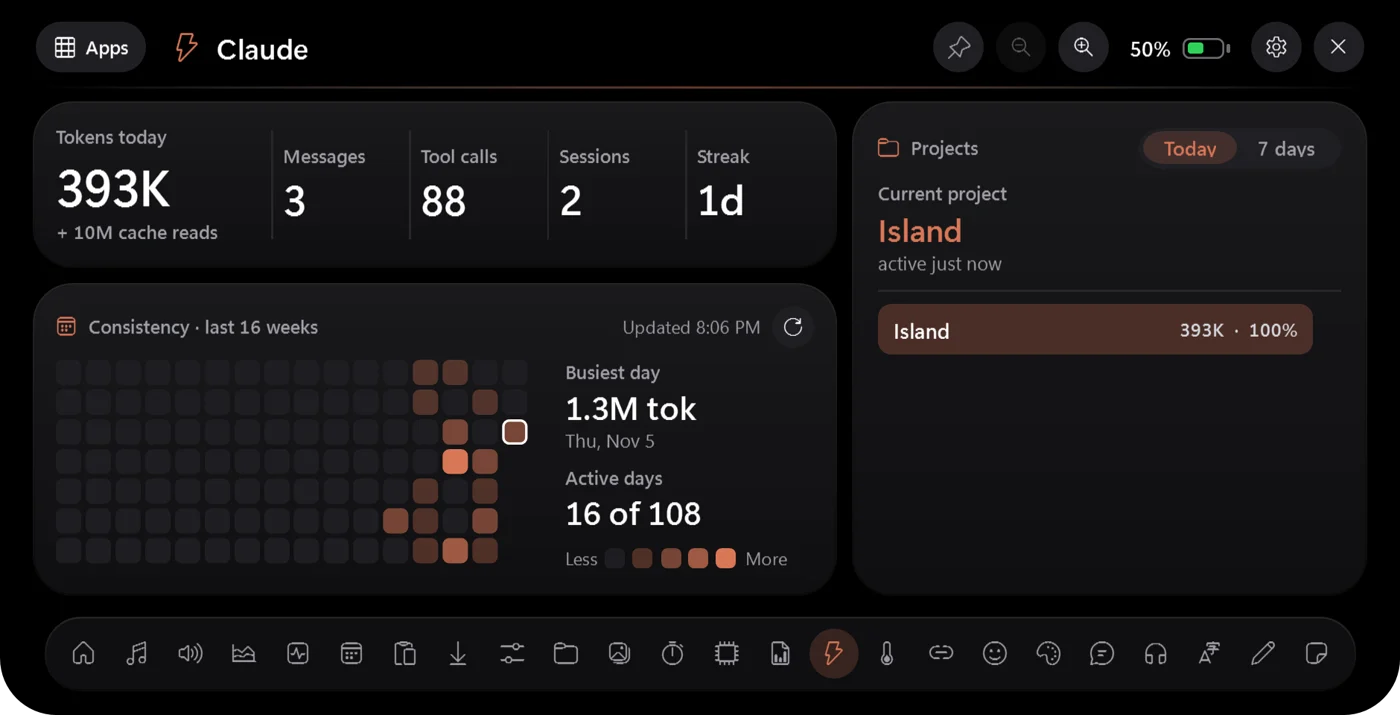
Tokens, messages, tool calls, sessions and your streak, read from local transcripts. A consistency grid shows how steadily you ship.

  • Usage per project, today or 7 days
  • Nothing leaves your PC
Numa's Claude panel: tokens today, messages, tool calls, sessions, a 16-week consistency grid and projects.
Real screenshot

Screen time, real numbers.

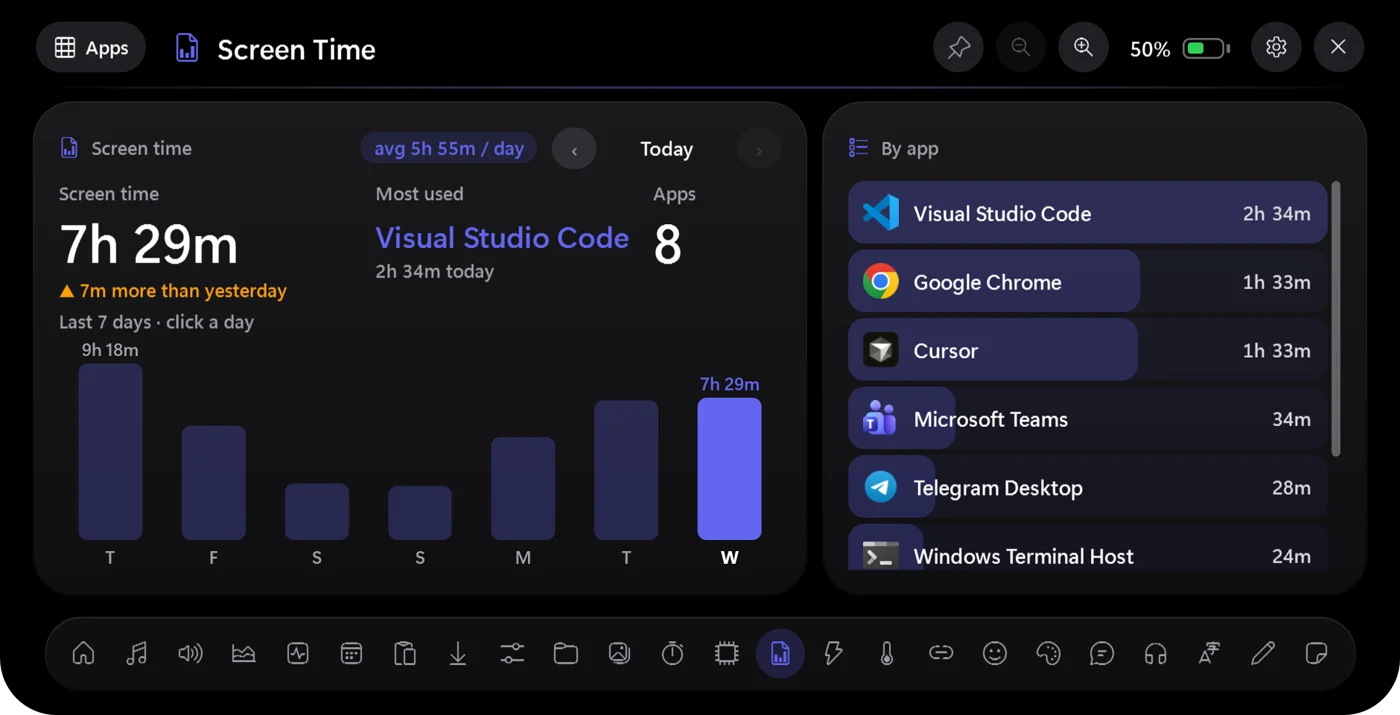
Today's total, your most-used app, a seven-day chart and a per-app breakdown with the actual app icons. Click a day to look back.

  • Counted on your PC, never uploaded
  • Idle time is left out
Numa's Screen Time panel: 7h 29m today, Visual Studio Code most used, a 7-day bar chart and time per app.
Real screenshot, sample data

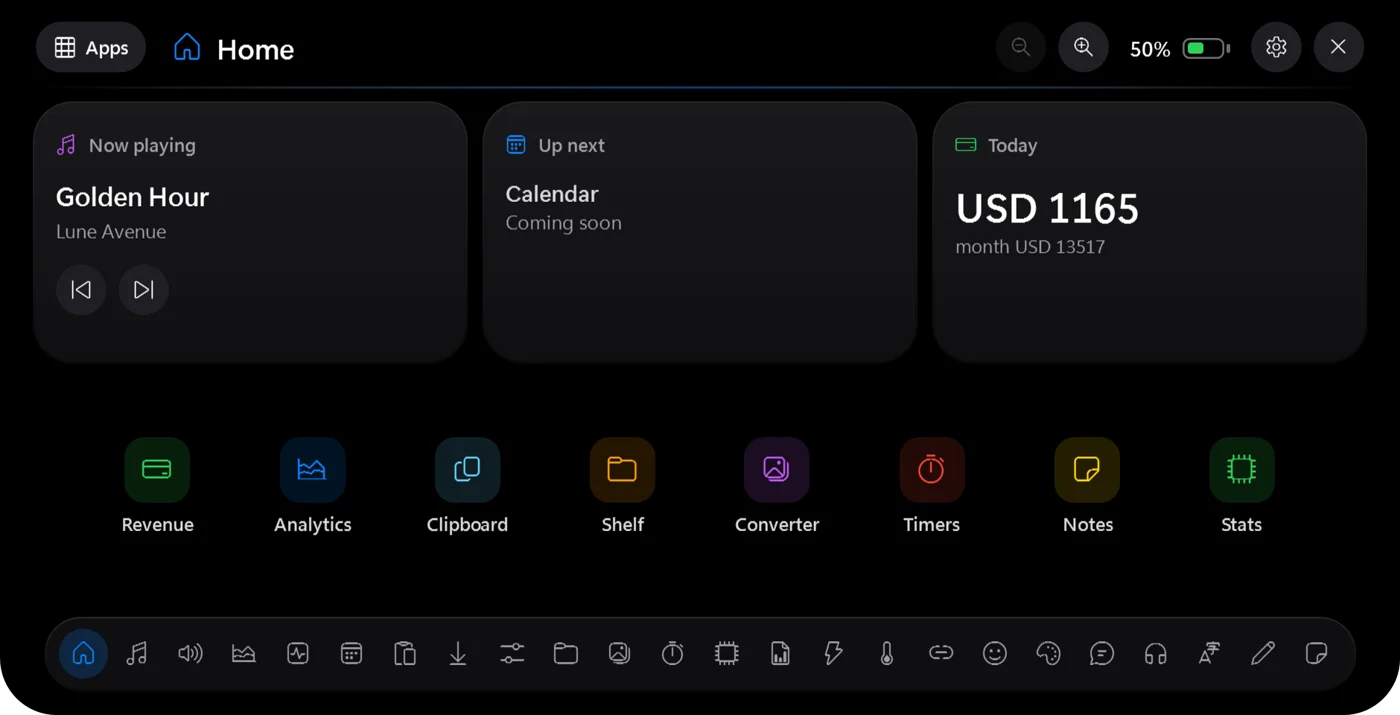
And the small stuff, one hover away.

Everything you reach for ten times a day lives in the dock. Pick one to see it.

Real screenshot, sample data

Write on your notch.

Type anything and it scrolls across the collapsed pill as a dot-matrix ticker. A status, a mantra, a very public to-do. Try it here, in the app's own 5×7 font.

Quiet when you work. Instant when you look.

Featherweight

The render loop stops the instant nothing is animating, so idle CPU sits at roughly zero.

Locked to your account

Keys and tokens are encrypted with Windows DPAPI. Read-only scopes only. There is no server and nothing phones home.

Never in your way

Click-through outside the shape, hidden from Alt+Tab and the taskbar, and it steps aside when a fullscreen app runs.

Physics, not tweens

Width, height and corner radius run on a real spring, at your display's refresh rate.

Up and running before your coffee cools.

  1. Download

    Grab Numa-win-x64.zip and unzip it anywhere. It is one file, Numa.exe, and needs nothing else installed.

  2. Run it

    Double-click Numa.exe. A short setup opens, then a black pill appears at the top of your main screen.

  3. Plug in your accounts

    Optional. Open Settings from the tray icon and paste a restricted Stripe key or Polar token.

Pay once. Keep Numa.

No subscription and no account. One payment unlocks everything.

$19

One-time payment. Yours for good.

  • Every app in the dock
  • Stripe and Polar revenue
  • Alerts for sales, timers and music
  • Keys encrypted on your own PC
  • One .exe, no installer or admin rights

Give the top of your screen a job.

For Windows 10 and 11.

Download for Windows